Annotate grasp
The annotate_grasp skill automatically generates grasp poses for a given pair of object and gripper parameterization.
The result of this skill can be used in conjunction with the plan_grasp skill by linking the output annotations with input annotations in plan_grasp.
Required parameters
There are three required set of parameters:
- Object to annotate Select an object from the drop down menu to generate annotations. The generated values will apply to all objects within the same category. If multiple object instances of the objects are listed in the menu you can select any one instance.
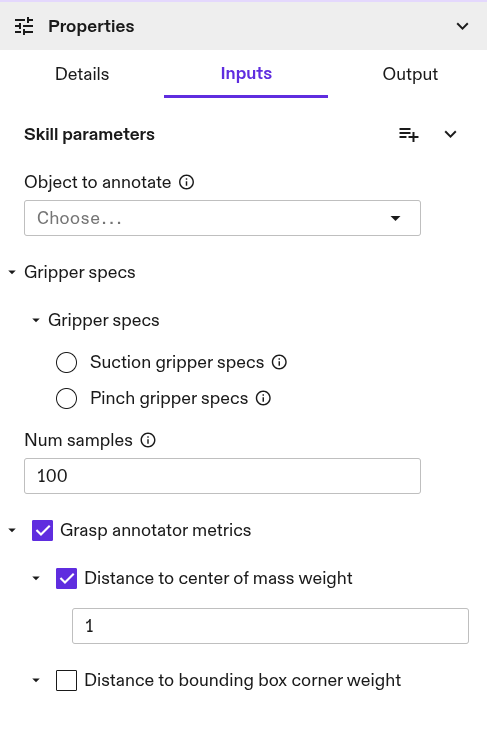
- Number of samples The skill also requires specifying the number of samples to search on the mesh. If the skill does not find grasp annotations then increasing this value could help especially for large objects.

- Gripper specs The search for grasp annotations on an object depends on the selected gripper type. Two options are available: parallel jaw pinch gripper and suction cup based gripper.
Pinch gripper specifications
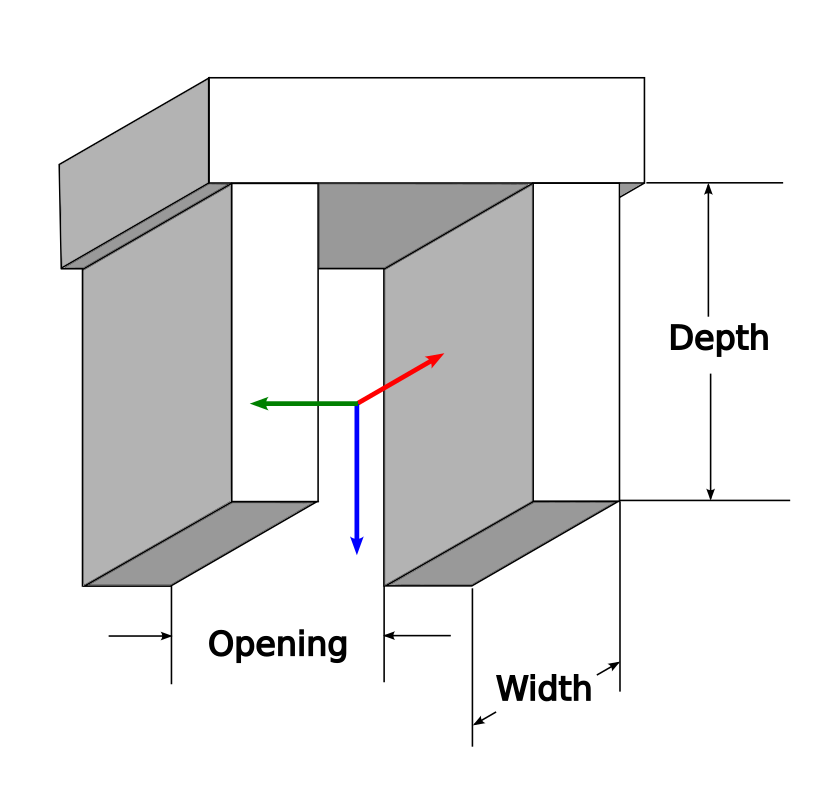
Pinch in this case is restricted to grippers with parallel jaws. It is assumed that the z-axis is point from the gripper towards the object, by default the y-axis assumed to be aligned in the gripper opening direction.
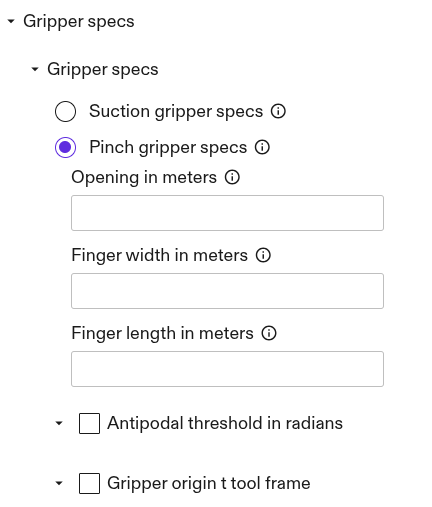
To parameterize this gripper type, three dimensions are needed:
- opening distance, i.e. the distance between the jaws.
- width of each finger/jaw
- depth of each finger/jaw along the z-axis
(Optional) Pinch gripper search parameters
For this gripper type, the search focuses on identifying pairs of antipodal points on the object—points where the surface normals face away from each other (~3.14 radians) to ensure a successful grasp. The threshold can be adjusted to values lower than ~3.14 radians, which relaxes the search criteria. This adjustment can be helpful if the object's mesh has rough or uneven surfaces.

Suction gripper specifications
Grippers with one or more suction cups are supported, assuming all cups lie on the the same x-y plane. To configure this gripper type, specify the following parameters:
- radius of the suction cup(s). (Use largest radius in case of multiple cups)
- x/y coordinates of each cup, if multiple suction cups are present. All cups are assumed be in the same plane and [0,0] is assumed to be the center.
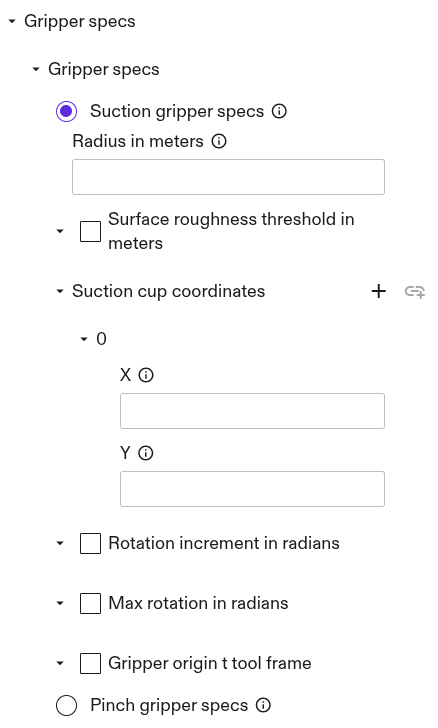
(Optional) Suction gripper search parameters
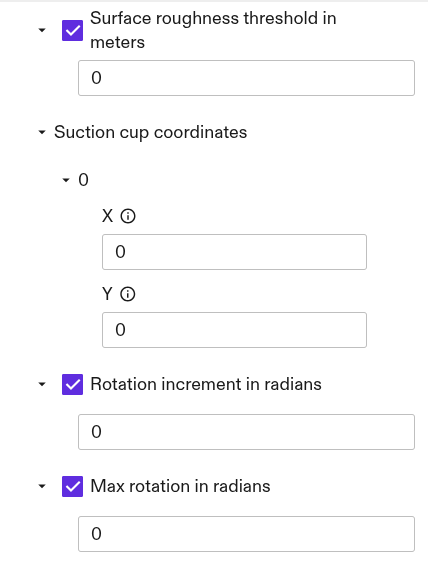
For this gripper type the search is based on finding flat patches on the object mesh where the cup(s) fit and where are no holes. It is assumed that the z-axis is point from the gripper towards the object.
If the object mesh has rough surfaces, the search can be relaxed by increasing the surface roughness threshold.
Additionally, users can specify variations in rotation about the gripper's z-axis at each grasp point. This is particularly useful when multiple suction cups are involved. The specified values are used to search within a range from 0 to Max rotation, with steps determined by the Rotation increment.
Centric gripper specifications
These are grippers with jaws that close in radially. The intended use case for these grippers are with cylindrical objects. To parameterize this gripper type specify:
- Radius of fingers/jaws when fully opened
- Radius of fingers/jaws when fully closed
- Lenght of fingers/jaws from base to tip

(Optional) Centric gripper search parameters
For this gripper type, the search is based on a simple check to determine whether the cylindrical object fits within the gripper's opening and closing radii, without colliding with the gripper base.
By default, the minimum increment along the cylinder's axis (min_search_increment_in_meters) is set to 0.005m. This value can be adjusted, but must be greater than 0.001 m.
The number of rotational samples (num_rotations) taken at each search point along the cylinder axis defaults to 8 (i.e., 45 degree increments). This can be configured to any positive, non-zero integer.

(Optional) Gripper to object transform
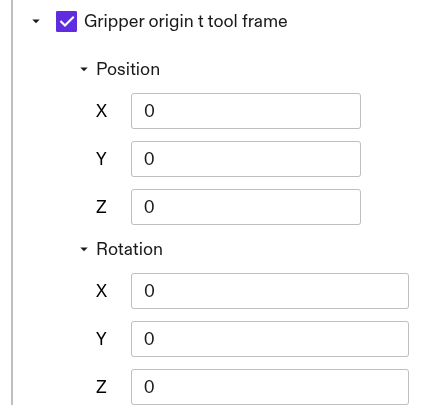
For all gripper types, if the default convention does not match with the user's, a transform can be applied to ensure compatibility.
(Optional) Set metrics
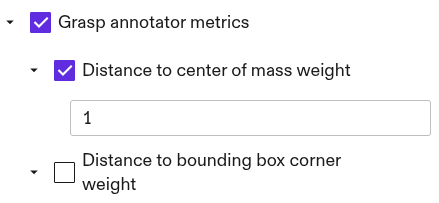
The annotated grasps can be assigned scores to help a planner identify and prioritize the annotations with the highest likelihood of success.
Distance to center of mass: The norm distance between the object's center of mass and the grasp pose is used as the default metric.
Distance to bounding box corner: In some cases, it may be preferable to pinch an object at its corners. In such cases, the distance to the corners can be used as a metric instead (ensure that the center-of-mass metric is deselected when doing so). The corners are approximated using the bounding box that encases the object, serving as a proxy for the actual corners.
The weight assigned to each metric is used to compute the geometric mean, which scores each pose within the range [0, 1].
If no metrics are selected all annotations will have a score of 1.