Request support
To request support
Option 1: From within Flowstate
-
Open Flowstate by going to https://flowstate.intrinsic.ai.
-
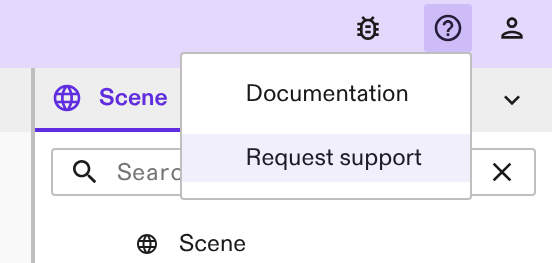
When a solution is open, go to the top right corner of the interface. This section displays some mini icons.
-
Hover your mouse over the question mark icon, which is the Support button.
-
Click the button Request Support, which opens a support ticket in a new tab
-
Enter all of the requested fields and click the Submit button
Option 2: Navigate directly to Support link
-
Browse to https://flowstate.intrinsic.ai/support to submit a ticket
-
Enter all of the requested fields and click the Submit button
Our support team will review your request and reach out to you using the email you have provided.
Guidelines when reporting an issue
When it comes to reporting issues, it's essential to provide accurate and detailed information to help the development team reproduce and address the issues effectively.
When submitting an issue, we ask you to:
-
Reproduce the issue - confirm it's a consistent problem by repeating the steps that cause it. Document the exact actions you took for the issue to appear.
-
Provide a clear, descriptive subject line: The subject must be issue-specific and have information containing where the issue is happening, or what it affects.
-
Choose the Priority between Low, Medium, High, or Urgent
-
Pick the Domain where the issue arises from if you are able to, otherwise select Other
-
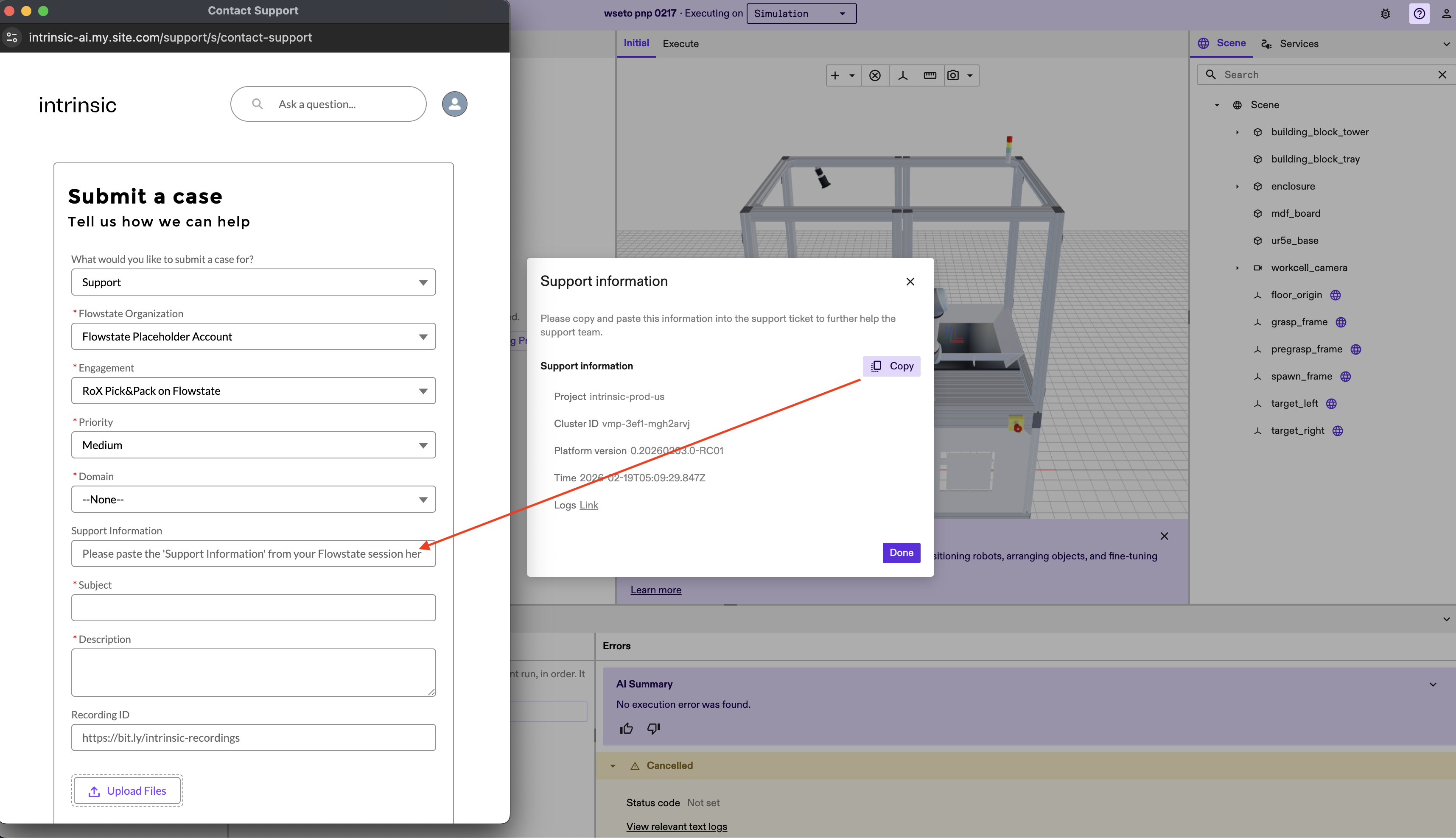
If you select Request support out of flowstate (i.e. Option 1 from above), an addional Support Information window appears. Use the dedicated copy button in this window to copy the provided information. Then, paste this information into the "Please paste the "Support Information" from Flowstate session here* field in the ticket form.
-
Include a detailed description: Try to include the following in your description
- Instructions to reproduce the issue
- What action you carried out
- What you observed, including any error messages
- What you expected
- What the issue is affecting
- Include relevant files or images, if necessary
- Additional context that could help the Support team - any patterns you noticed, hypotheses, observations etc
- Instructions to reproduce the issue
-
If you're using a local development environment, as described in the local development guide, you can include more support information using the
inctl doctortool.